
DEVELOPMENT
Audience: developers, maintainers, and anyone SSH-ing into the Pi.
Architecture
payphone_service.py: GPIO, hook switch, keypad scan, audio playback, analyticsapp.py: FastAPI web portal (port 5000), sounds, WiFi UI, update UIscripts/payphone-wifi: NetworkManager helper (sudo via sudoers)scripts/payphone-wifi-monitor.py: Connectivity watchdog and setup AP fallbackwatchdog.sh+watchdog.service/watchdog.timer: health and restartupdate.sh: OTA update with health check and automatic rollback- Data:
config.json, sounds in~/payphone/sounds, uploads in~/payphone/uploads
Repo map
app.py,payphone_service.py,config.jsontemplates/,static/(Tailwind, HTMX)scripts/helpers (wifi helper, wifi monitor, keypad calibration, assets build)setup.sh,update.sh,setup-tunnel.shdocs/CLOUDFLARE_TUNNEL_GUIDE.md
Installation and deployment
Typical Pi flow:
git clone https://github.com/rarestg/hots-pizza-pi.git
cd hots-pizza-pi
./setup.sh --full
--full installs apt deps, creates venv, copies app to ~/payphone, installs systemd user units, runs health check.
Other modes:
- ./setup.sh --update (no sudo, refresh code and deps if changed)
- ./setup.sh --reset-sounds-config (backup existing, restore repo sounds/config)
- ./setup.sh --tweaks-dry-run (no writes; show planned system file edits)
Smoke check:
- ./scripts/smoke-test.sh (verifies system tweaks, services, and web healthz)
Files are deployed to ~/payphone. Virtualenv lives at ${XDG_DATA_HOME:-~/.local/share}/payphone/venv.
Running locally (dev machine)
Web only:
python3 -m venv .venv
source .venv/bin/activate
pip install -r requirements-dev.txt
uvicorn app:app --host 0.0.0.0 --port 5000 --reload
Hardware service loop (needs GPIO/audio):
python payphone_service.py
On non-Pi hardware, GPIO calls will fail unless mocked.
Systemd services (user)
payphone.servicemain audio servicepayphone-web.serviceweb portalwatchdog.timerrunswatchdog.shevery 2 minutespayphone-wifi.timerruns WiFi monitor every 30 seconds
Useful commands:
systemctl --user status payphone payphone-web
systemctl --user restart payphone payphone-web
journalctl -t payphone -f
journalctl -t payphone-web -f
Configuration reference (config.json)
Key fields:
- sounds map: trigger -> {file, name}
- default_sound: filename or builtin:dial_tone
- try_again_sound: file played on unmatched sequence
- audio: sample_rate, bitrate, channels
- dtmf: enabled, tone_ms, volume, duck_main
- keypad: rows, cols, lookup, tone_set, keypress_tones, max_sequence_length
- volume_steps: list of volume percentages
- volume_sounds: optional sounds keyed by volume percent
Example snippet:
{
  "sounds": { "8675309": { "file": "jenny.mp3", "name": "Jenny" } },
  "default_sound": "builtin:dial_tone",
  "try_again_sound": "try-again.mp3",
  "audio": { "sample_rate": 22050, "bitrate": "64k", "channels": 1 },
  "dtmf": { "enabled": true, "tone_ms": 120, "volume": 0.9, "duck_main": 0.4 },
  "keypad": {
    "rows": [18, 23, 24, 25],
    "cols": [12, 16, 20, 21],
    "lookup": { "1": [0,0], "2": [0,1], "3": [0,2], "4": [1,0], "5": [1,1], "6": [1,2], "7": [2,0], "8": [2,1], "9": [2,2], "*": [3,0], "0": [3,1], "#": [3,2] },
    "tone_set": "dtmf",
    "keypress_tones": true,
    "max_sequence_length": 16
  },
  "volume_steps": [70, 100, 120],
  "volume_sounds": { "70": "volume-70.mp3", "100": "volume-100.mp3" }
}
GPIO and keypad
- Hook switch: GPIO17 <-> GPIO27 connect when handset is lifted
- LOUD button: GPIO4 toggles volume steps
- Keypad matrix: default rows
[18,23,24,25], cols[12,16,20,21] - Calibration:
python3 scripts/calibrate_keypad.py --update-config ~/payphone/config.json - Keypad status file:
payphone-keypad-status.jsonunder runtime dir; also streamed via/api/keypad/stream
Audio pipeline
- Uploads and recordings are staged, then compressed with ffmpeg to mono 22kHz at configured bitrate
- Default background sound plays on hook lift
- Try-again sound plays on unmatched sequence
- Protected sounds (volume cues, try-again, etc.) are not deletable
WiFi system
- Helper:
scripts/payphone-wifi(root, via sudoers) uses NetworkManager - Monitor:
scripts/payphone-wifi-monitor.pytriggers reconnects or setup AP - Saved networks have priority; monitor tries them when disconnected
- Setup AP starts after offline grace; SSID/password stored in
/etc/payphone/ap.json - Env tuning:
PAYPHONE_WIFI_TIMEOUT(helper)PAYPHONE_AP_TRIGGER,PAYPHONE_DISCONNECT_GRACE,PAYPHONE_AP_MIN_UPTIME,PAYPHONE_AP_IDLE_TIMEOUT
Cloudflare tunnel
- Script:
./setup-tunnel.shfor quick or named tunnel - See
docs/CLOUDFLARE_TUNNEL_GUIDE.mdfor steps - Installs
cloudflaredservice, exposes web portal (and optional SSH)
OTA updates
- Dashboard button calls
/api/update/runwhich launchesupdate.sh update.shcreates backup, pulls main, runs setup update mode, health checks, rolls back on failure- Update log:
/var/log/payphone/update.log(or path fromPAYPHONE_UPDATE_LOG)
Frontend build
- Tailwind and assets:
./scripts/build-assets.sh - Dev watch (if configured in package.json):
npm run watch:css
Environment variables (common)
PAYPHONE_AUTH_USER,PAYPHONE_AUTH_PASS,PAYPHONE_SESSION_SECRETPAYPHONE_MAX_UPLOAD_MB(default 25)PAYPHONE_AUDIO_BITRATE(default 64k)PAYPHONE_LOG_SOURCE,PAYPHONE_LOG_UNIT,PAYPHONE_LOG_TAGPAYPHONE_WIFI_HELPER,PAYPHONE_WIFI_SUDO
Troubleshooting
- No web:
systemctl --user status payphone-web, curlhttp://127.0.0.1:5000/healthz - No audio: check PipeWire/Pulse,
journalctl -t payphone -f, verify volume steps - Keypad: ensure config keypad section, rerun calibration, watch
/api/keypad/stream - WiFi: use helper
sudo /usr/local/bin/payphone-wifi status, scan, saved list - Update failed: inspect
/var/log/payphone/update.log; rollback is automatic - Watchdog:
systemctl --user status watchdog.timer; paused when service is stopped via UI
Screenshots
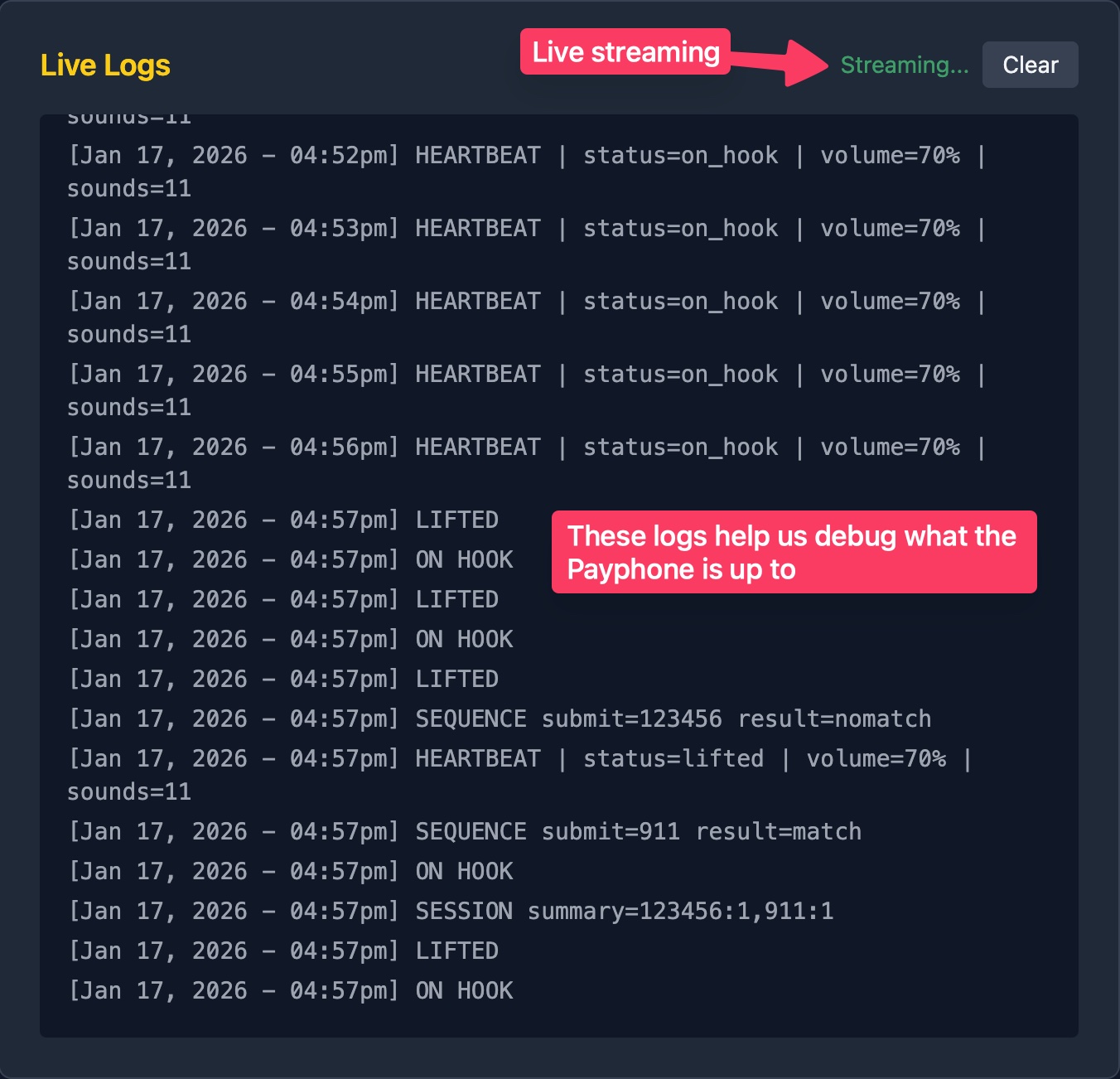 Logs page streaming live output
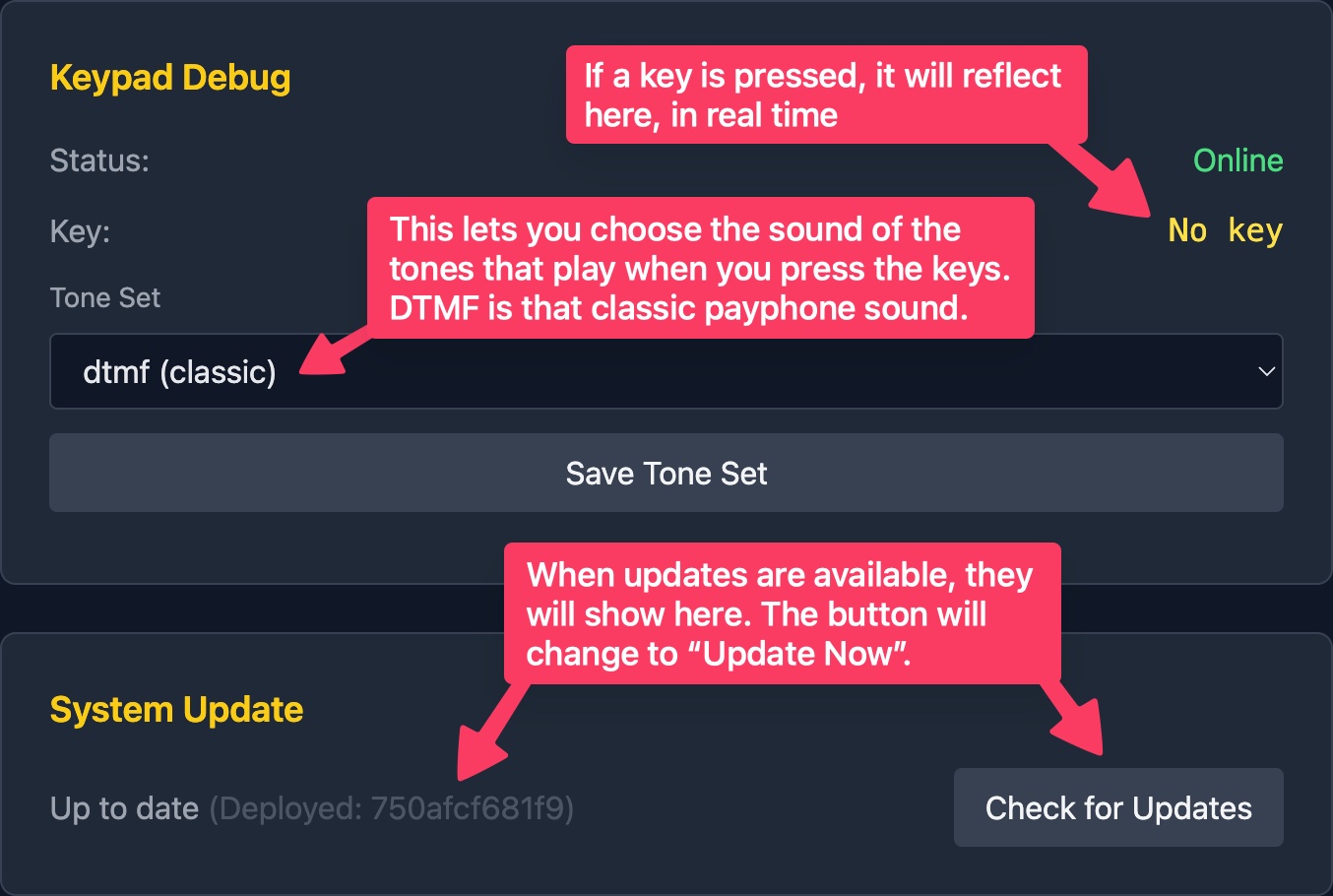 System Update card showing update status and log pane